INTRO: To “pitch” a song is to send a song you have written to an artist (singer or band), music publisher, or other person with a connection to an artist, with the goal of having the artist record and release the song to the public, on a CD, record album, or streaming platform.
Use the Pitches page to keep track of which songs you have pitched, to whom sent, date sent, response received (none, pass, hold, cut), is follow up needed, type of singer (male, female, either, duo, or band), and a notes section.
To add a song to the Pitches page, click Edit Song Details then “Add Pitch”. Your song will immediately be added to the Pitches page, where you can add in all the necessary information for that song (song name, date sent, to whom, referred by, follow-up needed (Y/N), suitable for M/F/Duo, etc., and a notes field).
Once you have added at least one song to the Pitches page, a shortcut to check on the status of your songs is to click the Pitches icon in the top right row of icons on the Songs page: 
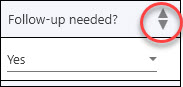
Note that you can sort the Follow-up Needed column at the top of the list so as to show all songs that need follow-up.