
To open the Song Player, click the small Play icon at the very top of the main app window 
or simply click “Play” on any song and the window will automatically open. You can then reposition the window freely.
At first it is mostly blank, but upon playing any song it will look more like this:
(Windows version):
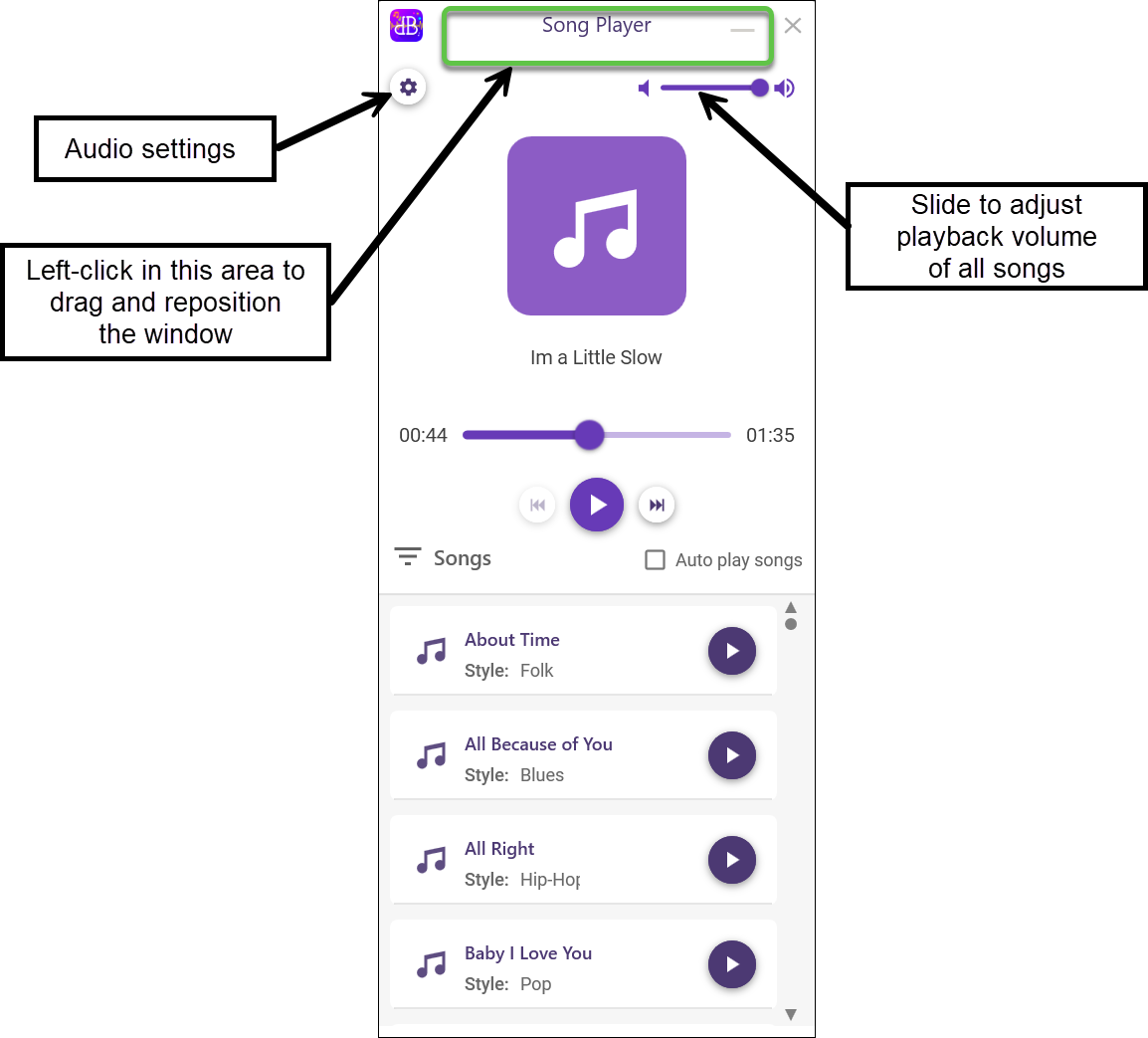
Mac version: Click near the very top of the window and you can move it anywhere.
Auto Play Songs: Checking the “Auto play Songs” box will cause the next song in the current song display to begin playing upon the termination of the previous song. This setting applies to the Songs page, Albums page, and Song Player window.