
AI Tools is a monthly subscription add-on to either the Pro or Pro+ license. Learn more about AI Tools here. It enables you to access cutting-edge artificial intelligence (AI) to assist you in your songwriting: find rhymes, synonyms, phrases, song lyric analysis, and fragment analysis and suggestions.
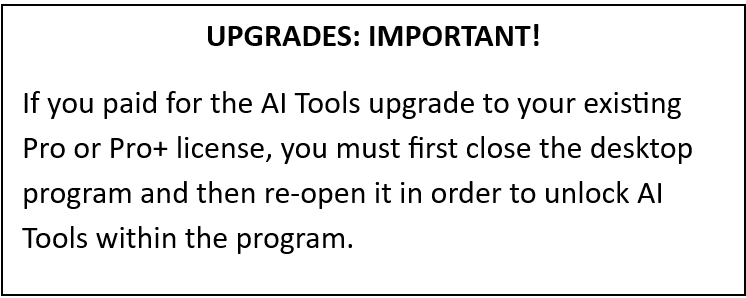
Here’s how to use it:
On either the pop-out Lyrics page or the Lyrics tab within Edit Song Details, click the “AI Tools” button:

This will open the AI Tools results page:
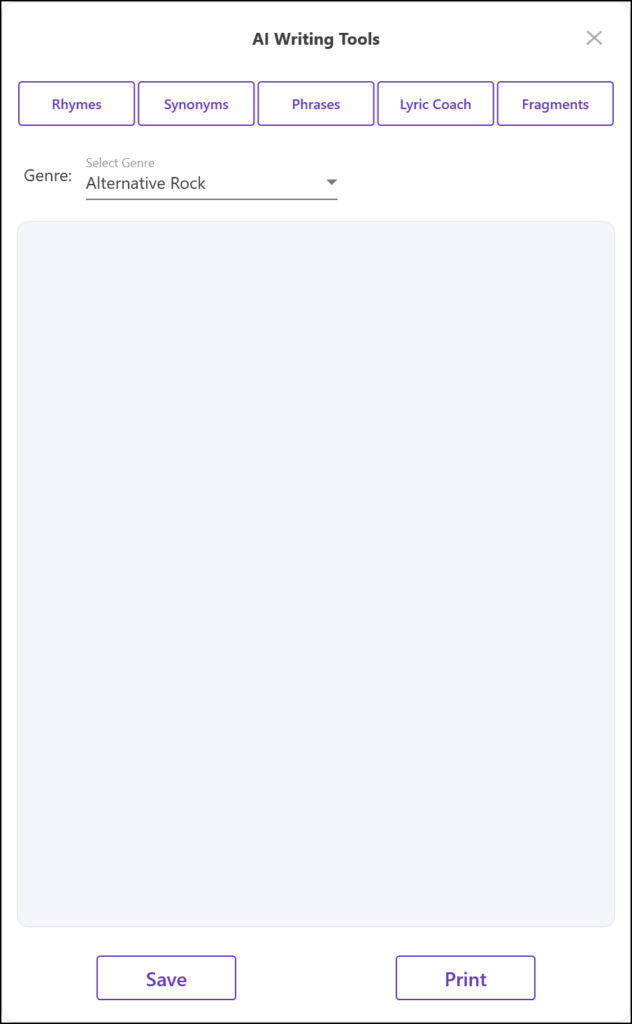
Before you click one of the 5 buttons at the top, use the “Genre” drop-down menu to select the genre you wish to work with. The displayed list mirrors the selection found on Settings & More/Genre Settings. Here you can add your own genres as well as delete genres you know you’ll never use. The updated list will then will show up within the AI Tools dropdown list.
Rhymes: To view rhymes for a word, first highlight the word within the Lyrics page, then click the “Rhymes” button at the top of this page. Your rhymes will display below.
Synonyms: To view synonyms for a word, first highlight the word within the Lyrics page, then click the “Synonyms” button at the top of this page. Your synonyms will display below.
Phrases: To view phrases that have a similar meaning as a phrase you are considering, first highlight the phrase within the Lyrics page, then click the “Phrases” button at the top of this page. Your synonyms will display below.
Lyric Coach. To receive an analysis of your song lyrics as if a song coach were helping you, first highlight the complete song lyrics within the Lyrics page, then click the “Lyric Coach” button at the top of this page. Your analysis will display below.
Fragments. SongwritersdB is designed to capture your random ideas, snippets, and titles. But what should you do with them? What direction should you go? To receive suggestions about possible directions your fragment can go, first highlight the fragment (group of words) within the Lyrics page, then click the “Fragments” button at the top of this page. Your suggestions will display below.
Daily Prompts. Each day you will receive a fresh daily prompt, a song-starter, to help give you an idea about a possible song. Each subscriber receives a different prompt. To change the genre of the prompts, go to Settings & More/App Settings and use the genre drop-down list. You can change the genre setting for prompts each day, and it will continue until changed again. To add or delete the available genres, click the Genre Settings tab.
To save the daily prompt for future use, just click the Save button on the prompt, and the text will be added to the Lyrics page of a song called “Song Starters.”
To disable the Daily Prompts, go to Settings & More/App Settings and click the “Enable Daily Prompts” to turn it off.