
Cloud Drive Sync
Backup vs Sync: What’s the difference?
The purpose of the Cloud Drive Sync is to ensure that any new songs added to your local drive will be copied to a folder in the cloud, and any new songs recorded on your phone (via the SongwritersdB Aux app) that are in the cloud are copied to your local drive.
While a Backup (see above) will copy all the songs from your local drive to the Songs folder in the cloud, it will not include any songs that may have been recorded on your phone (via the SongwritersdB Aux app) and synced to the cloud. Also, a Backup is a snapshot in time; if you delete a song, it will also be deleted from your cloud drive folder. However, that song will be still be available if you made a Backup before deleting the song, so by doing a Restore Backup, you can get that song back if you deleted it in error.
Phone-Recorded Songs: In order to retrieve your phone-recorded songs, you need to go to Cloud Drive in the left menu and click the Sync Manually button:
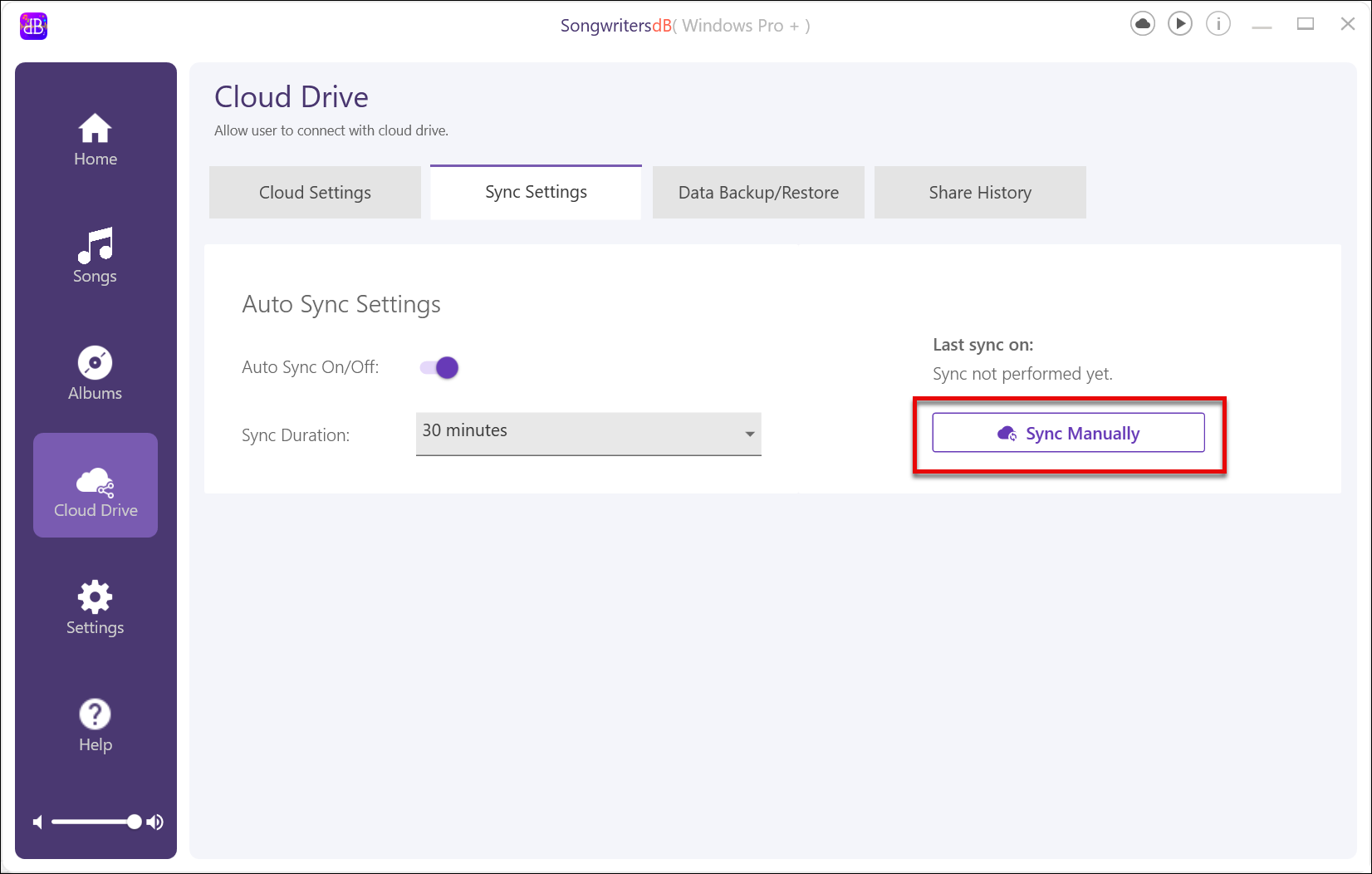
This will open a message box that will show the songs as they are being synced FROM your local drive to the cloud and those being synced from the cloud TO your local drive.
You can see the last time you did a Sync by viewing the “Last sync on” date and time display. We also recommend you set the Auto Sync Settings slider button to “On” for at least every 30 minutes, to reduce the chance that a crash will cause you to lose a recently recorded song.